

Building a SOAR playbook for running scripts remotely
You can use SOAR to invoke native OS-level commands. This can be helpful if you need to manage various agents across the environment when they require troubleshooting or remediation. Rather than doing this manually, you want a solution that will function at scale and perform the tasks automatically.
With this capability almost anything is possible. In order to showcase this as an example, a simple scenario will be used that covers automation of:
- Stopping, starting, or restarting remote agents
- Installing or removing remote agents
This article assumes that you already know how to write SOAR playbooks. If not, see Create playbooks in Splunk SOAR, and then come back to this article.
How to use Splunk software for this use case
Using Splunk SOAR to invoke native OS-level commands can be done with a combination of native SOAR functions as well as a custom script that gets pushed to the remote endpoint and runs various scripted actions. The script uses the SSH app in SOAR to facilitate running scripts remotely on Linux hosts.
Here are the components needed for the script, to push it to a remote endpoint, and to run various actions:
Filter block: Running an adaptive response on an ES Notable re-opens the same container it originally created. To prevent failed automation or automation loops, this filter block checks whether an artifact is marked as old_artifactand prevents SOAR from running automation on old artifacts in the container.
Filter block: Next we check if an artifact contains the 'approved' field under status_label. If so, see the next filter block. If not, see the next action block.
This step is optional and stems from the automated approval management playbook example.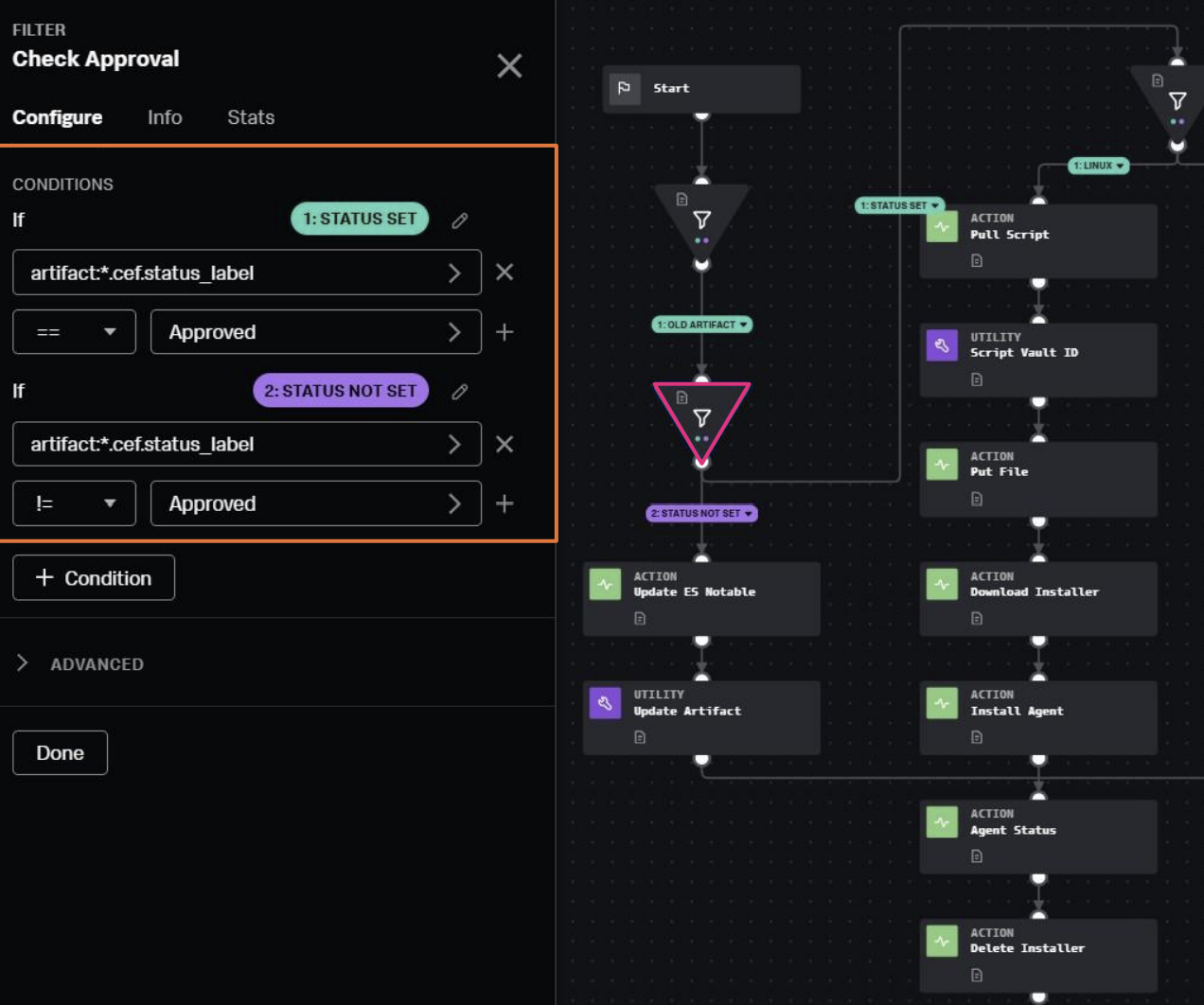
Filter block: Next we check the operating system to determine the correct path. This could include additional parameters, such as test versus production environments.
For this example, we will use Linux as an example for running the remote script.

Action block: Use the SSH app and the get file action to get the script. For this solution, a variety of different pre-approved scripts are stored on the SOAR instance. If you are using SOAR cloud, consider storing these on a file share and using an automation broker to manage the pulling/pushing of scripts within the environment.
The block provides a loopback address for the SOAR server (localhost / 127.0.0.1) and path to where the script is stored.
Utility block: Use the vault_list utility to add the script pulled by the previous block into the vault for the container. This is required in order to move the script between SOAR and the endpoint.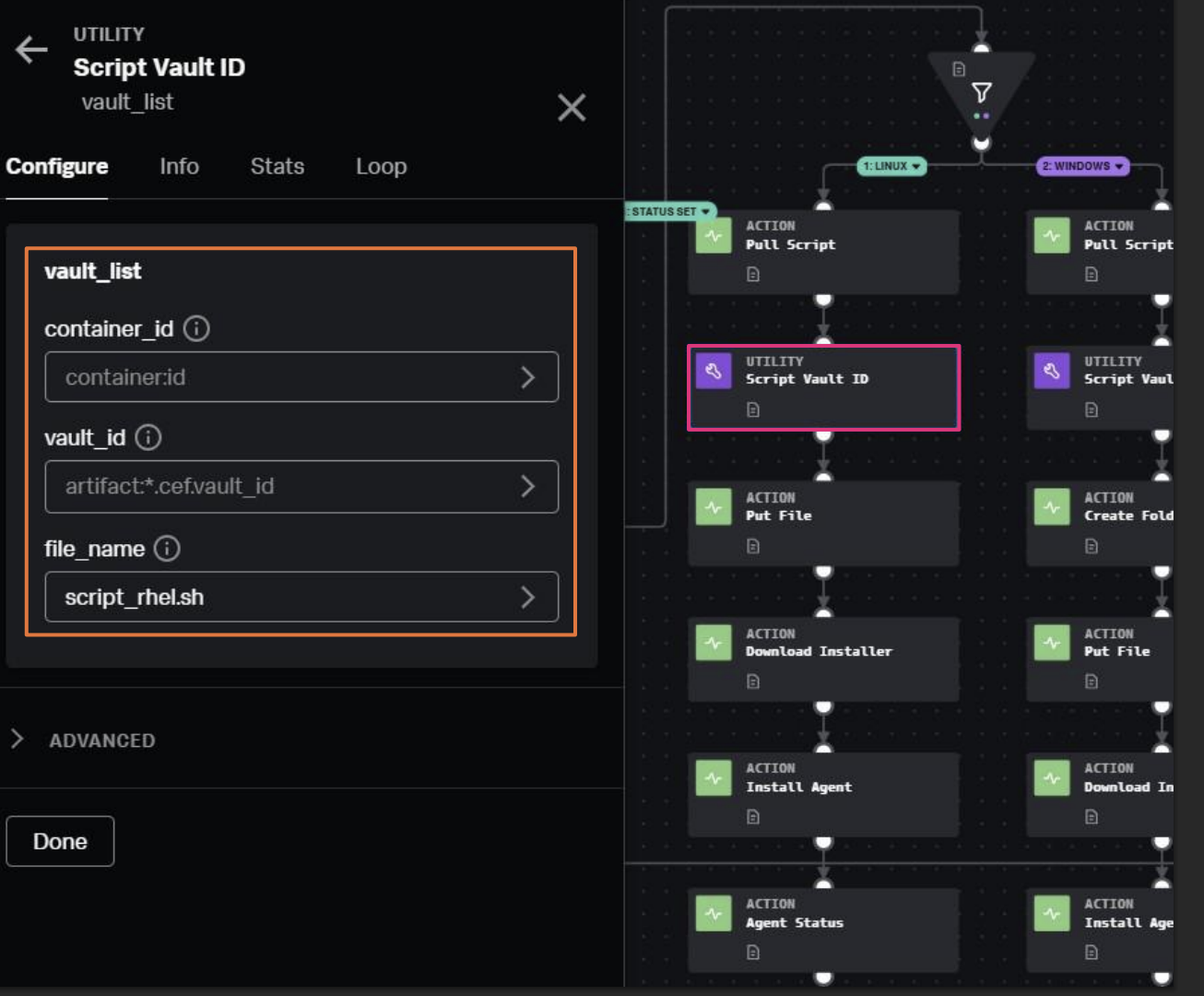
Action block: Use the SSH app Put File action to place the script on the target endpoint using the vault file. In this case, we are using the root directory of the filesystem.
Action block: Use the SSH app execute program function to use a bash command to run the script file on target host. In this example, it calls a specific function (agent_download) within the script, but this will vary depending on how you structure your script files.
Action block: Use the SSH app execute program function to cleanup by removing the script from the endpoint as to not leave files scattered around. You can also add another action block to update the ES notable again with a comment that the automation has been run and whether it was successful. 
While this example focused basic scripts for compliance, you can also reuse this functionality to support automated investigations and incident response. You can also design playbooks that run scripts to perform containment functions as part of an incident response process.
Additional resources
This article is one of many in a series on using SOAR automation to improve your SOC processes. Check out the additional playbook guidance or some of the links below to continue getting more value out of Splunk SOAR.
- Splunk Lantern Article: Understanding playbook types in SOAR
- Splunk Lantern Article: Improving SOAR playbook design
- Splunk Lantern Article: Applying useful SOAR playbook design features
- Splunk .Conf: Practical SOAR examples from the field
- Splunk .Conf: Practical SOAR examples from the field: Part 2