

CTIS Integration - ES Ingestion Configuration
Background
Configuration of the Splunk Enterprise Security (ES) TIF for CTIS is a two-step process:
- Configure the credentials to be used by Splunk ES for authentication to the CTIS service so they are stored securely in the Splunk ES credential store. The secure credential store can be found under Splunk ES General Settings > Credentials & Certificates. These credentials are automatically generated via the CTIS portal for each CTIS connection that is configured in the portal.
- Under Splunk ES > Configure > Threat Intelligence > Data Sources, configure a TAXII connection for each CTIS collection to be ingested with the relevant parameters such as the collection ID and refers to the credentials configured in step 1 above. Ingestion of each collection must be configured as a discrete TAXII connection, each connection can reuse the same credentials from the credential storage in Splunk ES.
This following sections of this guide covers all of these steps in detail, but for further general information regarding configuration of the ES TIF service for your specific version of Enterprise Security please refer to the respective version of the Splunk ES Administration guide for the following sections on configuration of TIF:
Credential Configuration:
- Splunk ES 7.x Credential Configuration: Details the steps to configure credentials securely in ES 7.x.
- Splunk ES 8.x Credential Configuration: Details the steps to configure credentials securely in ES 8.x.
Configuration of credentials for IOC reporting are done natively within the reporting plugin, and the plugin uses the same Splunk-native secure credential storage mechanism. Steps for reporting plugin configuration are covered separately in this article.
Threat Intelligence Framework Configuration
- Splunk ES 7.3 TIF Configuration: Applies to all supported versions before ES 8.2 for TAXII 1.x configuration.
- Splunk ES 8.2 TIF Configuration: Applies to all supported versions from ES 8.2 onwards for TAXII 2.x configuration.
Credential Configuration
To securely configure credentials for authentication of the various feeds for each CTIS collection required, credentials are configured in Enterprise Security > Configure > General Settings > Credentials. Different credentials are required for TAXII1.1 and TAXII2.1 connections since credentials only support a specific version of TAXII. This can be reflected in the "Realm" configuration option to differentiate between the two types of credentials.
Configure credentials using the credentials configured in the portal as shown in the example below, which shows a configuration reflecting TAXII2.x credentials.

Enterprise Security TAXII 1.1
Support for TAXII 1.x with CTIS might be deprecated in the future by ASD/ACSC in favour of TAXII 2.x.
For each collection that is being configured using a TAXII1.1 configuration, follow these steps from the ES TIF source configuration menu (Enterprise Security > Configure > Threat Intelligence > Threat Intelligence Sources):
- Select New and choose TAXII.

- Enter the desired configuration on the general settings for the following options:
- Name: Descriptive name reflecting the details of the CTIS collection.
- Description: Description of the collection.
- URL: General CTIS TAXII 1.x URL only. The collection ID is specified as separate post arguments at the next configuration step. Refer to the CTIS connection guide for the details of the TAXII1 URLs and collection descriptions and IDs.
- Post Arguments: Supports multiple arguments and generally includes:
- For TAXII 1.x the collection ID is mandatory and is specified as HTTP post argument, for example,
collection="3980c357-8479-4db1-923a-e2a3056e7e65" - Optionally, but especially for collections with a high number of IOC records, it is recommended that an additional post argument for the earliest IOC record is also specified to limit the number of records returned on the first poll, for example, using the following to only return IOC records no older than 30 days:
earliest="-30d"
- For TAXII 1.x the collection ID is mandatory and is specified as HTTP post argument, for example,
- Threat Intelligence: Should already be enabled and should not be changed.
- Modify the following other default options as desired:
- Weight: Used to calculate the risk score of an asset or identity associated with an indicator from the collection.
- Interval: The interval to poll the intelligence collection.
- Max Age: The retention period for IOCs from this collection.
- Max Size: The maximum allotted size in bytes for an intelligence feed download. The download feed is often very large the first time you download threat intelligence. Depending on the parameters used for the earliest records returned in post arguments, this value might need to be increased.

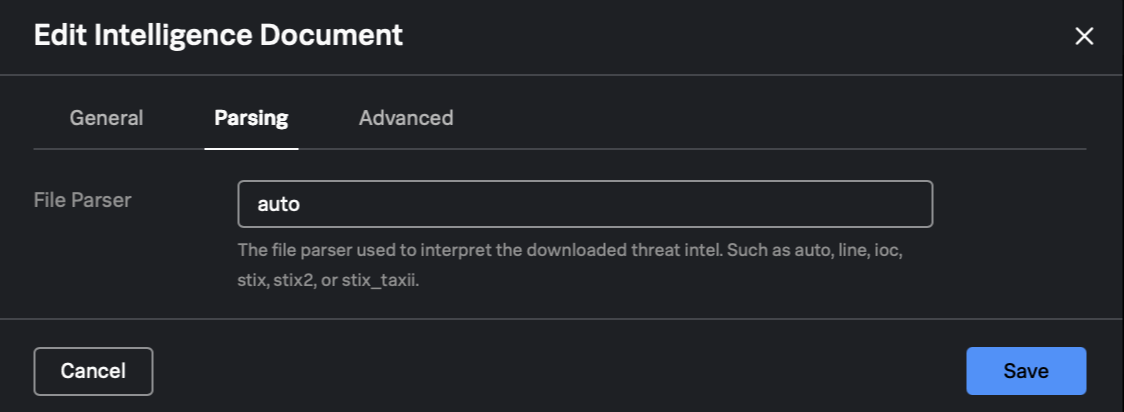
- Parsing configuration does not typically require configuration and should be left as "Auto".
- Advanced configuration options should be configured to reference the credentials created in the previous steps:
- Remote Site User: The username configured in the ES Credentials Settings in the earlier step for either TAXII1.x or TAXII 2.x.
- Remote Site User Realm: The realm is optional but recommended to help denote the type of connection being used.
- Continue to the advanced configuration in the next section.
- The following default options under advanced configuration should not need modification except for the timeout value where there are larger feeds being configured or where you need additional data for troubleshooting feed downloads or parsing:
- Retries: The maximum number of download retry attempts.
- Retry Interval: Number of seconds to wait between download retry attempts.
- Timeout: Number of seconds to wait before marking a download attempt as failed. It's recommended to increase this value for larger feeds, especially for first poll.
- Sinkhole: Delete threat intelligence files after processing. Disable if there are issues with parsing that need to be investigated to enable analysis of the source file downloaded.
- Debug: Enable if additional debug logging is required.

Enterprise Security TAXII 2.1
For each collection that is being configured using a TAXII2.1 configuration, follow these steps from the ES TIF source configuration menu (Enterprise Security > Configure > Threat Intelligence > Threat Intelligence Sources):
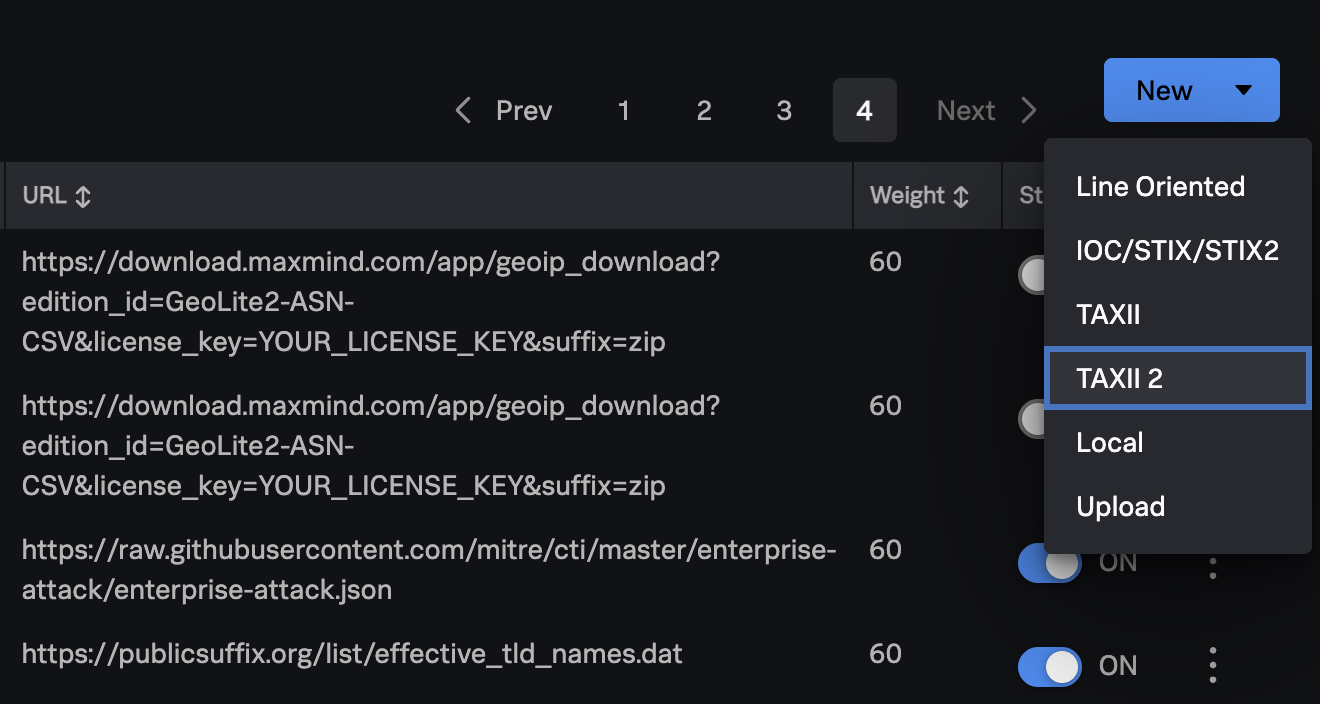
- Select New and choose TAXII 2.
- Enter desired configuration on the general settings for the following options:
- Name: Descriptive name reflecting the details of the CTIS collection.
- Description: Description of the collection.
- URL: For TAXII2.x connections the URL contains the specific collection ID with the following format of URL where <collection-id> should be replaced with the desired collection-id for the feed being configured. Information about the various collections and the TAXII URL is available in the CTIS documentation from the ASD/ACSC partner portal.
- TAXII Version: For CTIS TAXII2.x, this should be configured for version 2.1.
- Post Arguments: With TAXII2.x, given that the collection-id is specified in the URL, the only potentially important post argument is the time range of IOCs to download from the collection. This is especially important for collections with a high number of IOC records where it is recommended that an additional post argument for the earliest IOC record is also specified to limit the number of records returned on the first poll, for example, using the following to only return IOC records no older than 30 days:
earliest="-30d". - Threat Intelligence: Should already be enabled and should not be changed.
- Modify the following other default options as desired:
- Weight: Used to calculate the risk score of an asset or identity associated with an indicator from the collection.
- Interval: The interval to poll the intelligence collection.
- Max Age: The retention period for IOCs from this collection.
- Max Size: The maximum allowed size in bytes for an intelligence feed download. The download content is often very large the first time you download threat intelligence from a specific collection. Depending on the parameters used for the earliest record returned in post arguments, this value might need to be increased to allow a larger download. This might also be the case for collections with a high frequency of updates or new IOCs regularly added.

- Parsing configuration does not typically require configuration and should be left as "Auto".
- Advanced configuration options should be configured to reference the credentials created in the previous steps:
- Remote Site User: The username configured in the ES Credentials Settings in the earlier step for either TAXII1.x or TAXII 2.x.
- Remote Site User Realm: The realm is optional but recommended to help denote the type of connection being used.
- The following default options under advanced configuration should not need modification except for the timeout value where there are larger feeds being configured or where you require additional data for troubleshooting feed downloads or parsing:
- Retries: The maximum number of download retry attempts.
- Retry Interval: Number of seconds to wait between download retry attempts.
- Timeout: It's recommended to increase this value for larger feeds.
- Sinkhole: Delete threat intelligence files after processing.
- Debug: Enable if additional debug logging is required.
